
Techivation
T-De-BreatherNEW!

T-De-Breather is a flexible zero-latency breath suppression plug-in for vocals and dialogue. Its hybrid detection engine identifies and reduces breaths at any level, while preserving a natural performance. Fine-tune the balance between breaths and sibilance, adjust the detection to suit any voice, both live and in the studio.

Smart solution for creators
Real-Time Breath Control with Unmatched Accuracy
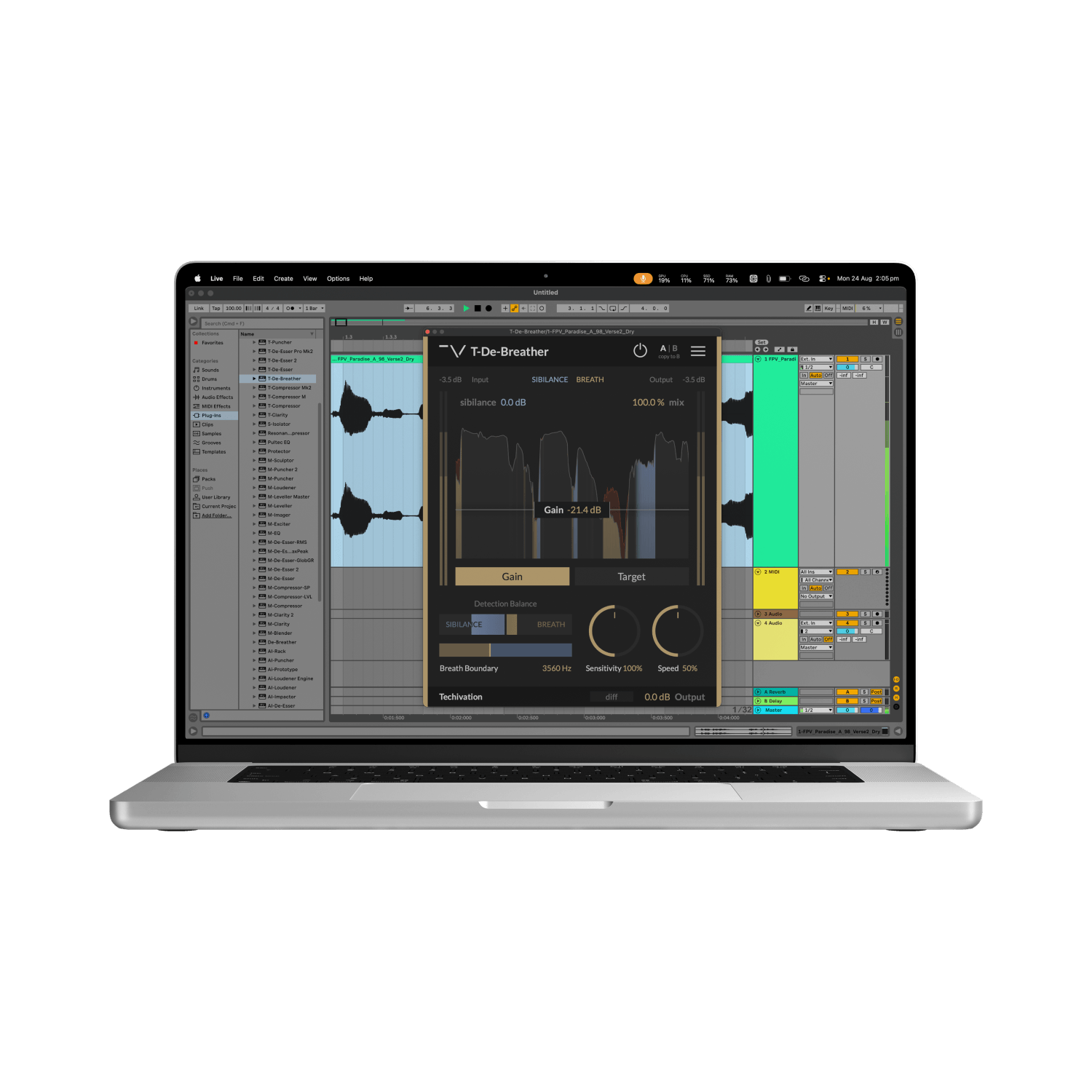
Intelligent Breath Detection at Zero Latency
At the heart of T-De-Breather is a hybrid audio engine combining deep algorithmic analysis with real-time predictive forecasting using a Recurrent Neural Network. It identifies breaths from their spectral and time-domain characteristics, rather than simply reacting to signal level.
This level-independent detection allows T-De-Breather to catch both loud and quiet breaths consistently without relying on traditional thresholds. And with true zero-latency operation, the same precise breath suppression can be used during recording, live performance, broadcast, or post-production.
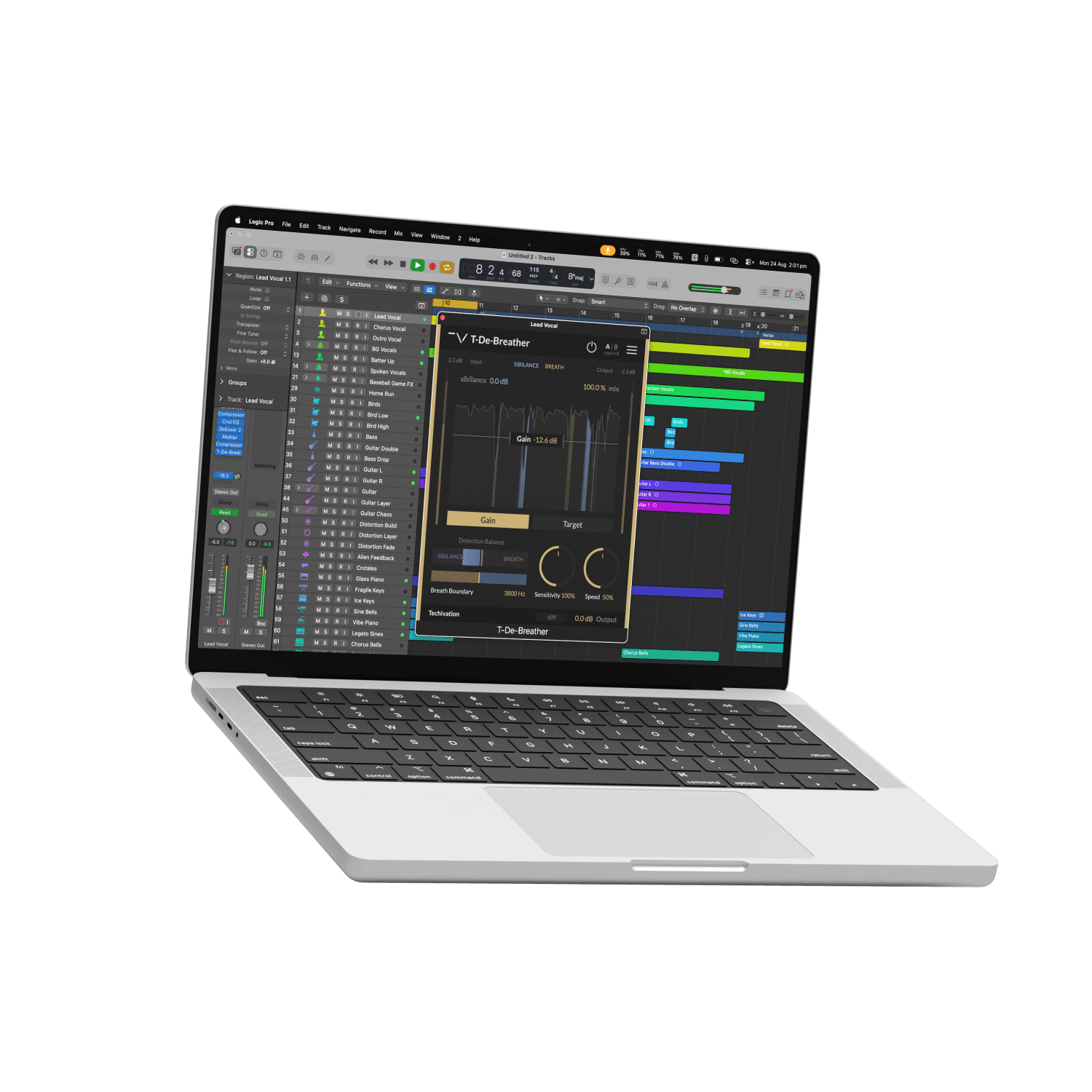
Flexible Control for Natural Vocal Cleanup
Shape breath suppression around the performance with two dedicated processing modes. Gain mode applies a consistent amount of attenuation while preserving the natural dynamics between breaths, while Target mode dynamically brings louder breaths down toward a defined output level.
T-De-Breather detects both breaths and sibilance, and gives you direct control over the boundary between them. Fine-tune detection sensitivity, suppression speed, and sibilance reduction to clean up vocals and dialogue without stripping away the natural character of the performance.
Let's hear it in action
Sound Examples

Key Features
Breath Gain
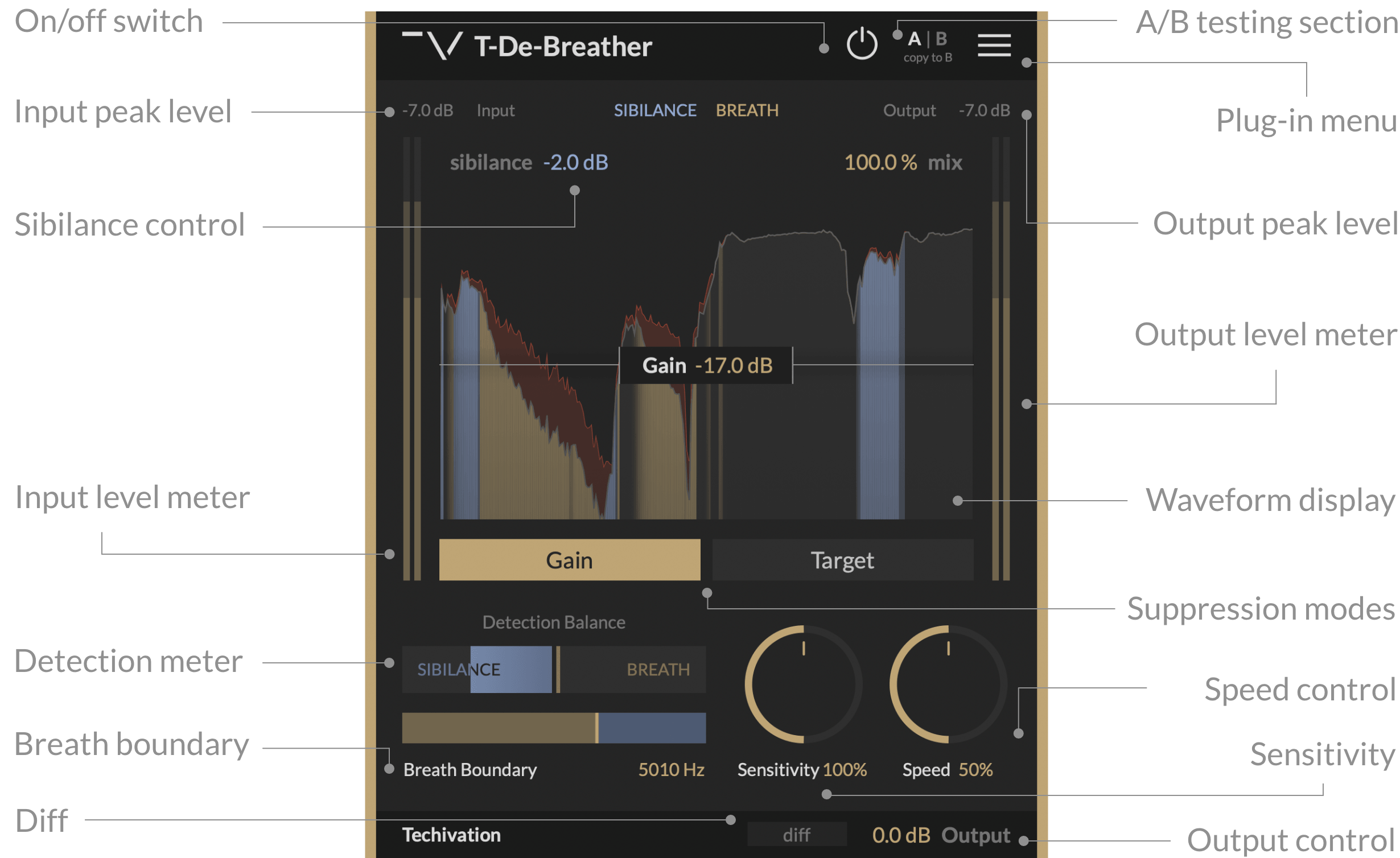
T-De-Breather offers two breath suppression modes: Gain and Target. In Gain mode, all detected breaths receive a fixed amount of reduction, preserving their natural dynamics. It works best for clean recordings and light-to-medium suppression, and is independent of input level.
Breath Target
In Target mode, breaths are reduced toward a set output level. Louder breaths receive more reduction, while breaths below the target remain untouched. This makes it useful for stronger suppression, noisy recordings, and live dialogue. Since Target uses an absolute level, input gain changes may require readjustment.
Waveform Display
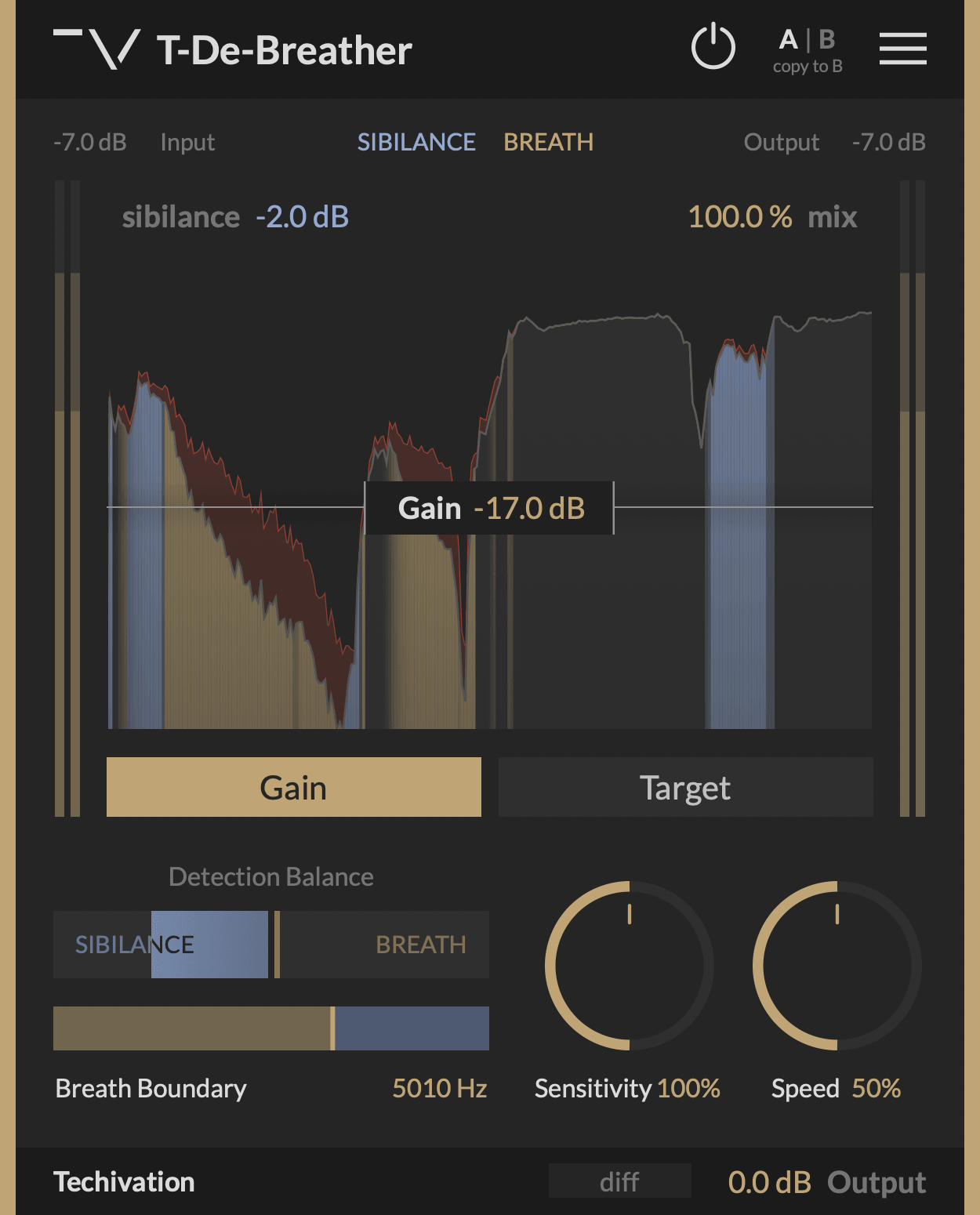
The waveform display provides real-time view of breath and sibilance detections, along with the amount of applied suppression. The output signal that is recognised neither as breath nor as sibilance is shown in grey. Breath detections are highlighted in gold, while sibilance detections are highlighted in blue. The amount of gain reduction applied to the audio is displayed in red.
Detection Balance
Detection Balance section enables you to fine-tune how T-De-Breather distinguishes breaths from sibilance.
Detection Meter
Use Detection Meter to monitor how the plug-in identifies the current input in real time. When detecting a breath, the right side of the meter fills in with gold. When detecting sibilance, the left side of the meter fills in with blue.
Breath Boundary Slider
The Breath Boundary slider below the meter offsets the way T-De-Breather classifies detections as breath or sibilance. Spectral energy below this frequency contributes towards a breath detection, while energy above contributes towards a sibilant detection.
Sensitivity
Sensitivity controls how sensitive T-De-Breather is when deciding what can be identified as a breath or sibilance.
Speed
Speed controls how quickly breath suppression engages. High Speed values deliver fast, gate-like attenuation of breaths. Low Speed values slow down the onset of suppression, resulting in gentler, more natural effect that allows some of the breath through. The Speed control only affects the dynamics of breath suppression. It has no effect on the behaviour of sibilance reduction using the “Sibilance” control.
Sibilance
Sibilance sets the amount of attenuation applied to the tails of sibilant sounds. Use this control to tame sibilance sounds and reduce its energy.
Mix Control
The Mix control blends between the processed and the original signals, giving you quick access to parallel processing.
Diff
Diff lets you listen to the difference between the processed and the original signals. When enabled, only the breaths and sibilance suppressed by the plug-in will be passed to the output. This can help when setting the “Breath Boundary” and “Sensitivity” parameters of T-De-Breather.
Output Gain
Output controls the amount of clean gain applied to the processed signal.
Internal On/Off Switch
A dedicated bypass/on control allows enabling or bypassing the effect without clicks or artefacts, unlike toggling from the DAW directly.
Scalable user interface
The interface can be scaled from 80% to 150%, allowing you to personalise the GUI for your workflow.
Undo/redo options
Built-in Undo and Redo provide safety while working. You can revert or redo changes easily.
Tooltips
An optional 'Tooltips' feature shows short descriptions when hovering over controls. Great for quickly learning the interface.
Frequently Asked Questions
Yes. T-De-Breather operates with zero latency, making it suitable for live vocals, broadcasts, podcasts, and dialogue processing.
Gain applies a fixed amount of breath reduction and preserves the original breath dynamics. Target dynamically reduces breaths toward a specified output level, making louder breaths receive more attenuation.
Yes. Breath detection is level-independent, so T-De-Breather can identify and suppress breaths regardless of how loud or quiet they are.
Yes. It detects breaths and sibilance separately, allowing you to suppress breaths while also controlling the tails of sibilant sounds.
Adjust the Sensitivity and Breath Boundary controls. Increase Sensitivity to catch missed breaths, reduce it to avoid false detections, and use Breath Boundary to fine-tune the distinction between breaths and sibilance.
For more information visit our support page
System
Requirements
Windows
7 and up as 64-bit VST and VST3, and 64-bit AAX (PT11 and up).
Mac OS
10.15 (Catalina) and higher as VST, VST3, AU, and AAX. Intel processors, and Apple Silicon Chips.